AudioMagic TX Audio Setup
Anyone who has ever used a USB headset or Bluetooth on a computer knows that it is quite simple to install. We have achieved this with AudioMagic as well. However, we must differentiate between: Bluetooth, USB, and studio-grade audio equipment:
Bluetooth is paired and the device is activated in the AudioMagic setup. But be careful - AudioMagic only allows headsets to act as headphones. These then operate in the A2DP (Advanced Audio Distribution) Profile to deliver reasonably good audio with the best possible latency.
USB microphones and USB headphones are recommended if you are looking for a low-budget or uncomplicated solution, whether used alone (e.g., USB microphone and USB headset only as headphones), or microphone and headphones combined as a headset. A headset is also the most affordable purchase. If there are enough USB ports in the AudioMagic Server free, just plug it in, no hub needed.
However, studio equipment is highly recommended. Here are a few practical tips:
AudioMagic is programmed to support USB audio interfaces with up to 32 microphone inputs. A connected headphone with a jack plug works right out of the box and poses no challenge. It gets interesting, however, when dealing with external devices such as wireless in-ear systems, routing to other devices, active speakers, etc. These can also be connected to such a USB audio interface. Personally, I have had the best experiences with USB audio interfaces (regarding price/performance/usability) with the Behringer UMC202HD (2 microphones), UMC404HD (4 microphones), and UMC1820 (8 microphones). Which microphone is used is selected via the profile settings in AudioMagic!
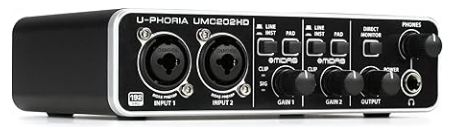
All USB audio interfaces must strictly be powered by an external power supply (not via the AudioMagic server!!!) and be able to provide 48V phantom power. See my explanations further down. Of course, USB audio interfaces from other manufacturers can also be used, provided they meet or exceed the specifications of the Behringer devices.
External power supply is essential so that the AudioMagic server does not crash due to undervoltage when the USB audio interface is switched on. This is because USB audio interfaces draw up to 1A of current. It is therefore highly recommended to run the USB audio interface (if it does not have its own power supply) via a GOOD**** active USB hub, which also does not send any voltage back to the AudioMagic via the USB cable. Anyone who truly values trouble-free operation without headaches should make sure to use an MTT USB hub instead of an STT hub. Here is the explanation:
STT vs. MTT: When you connect many devices to a USB hub, the hub must convert the computer's fast data stream into slower signals. This is done via so-called Transaction Translators (TT): STT (Single Transaction Translator): The hub has only one translator for all ports. If multiple slow USB devices (e.g., USB 1.1 or slow USB 2.0 devices) are connected, they share this single path and have to wait in line for the computer. This can lead to bottlenecks and delays. MTT (Multiple Transaction Translator): The hub has a dedicated translator for each downstream port. This allows all connected devices to communicate independently and at full speed with the computer. Advantages of an MTT hub: Connections for audio interfaces, controllers, or external hard drives no longer interfere with each other. An MTT hub is especially useful when operating power-hungry or real-time sensitive devices, such as in the audio and music sector (multiple synthesizers, USB mixers, or audio interfaces).
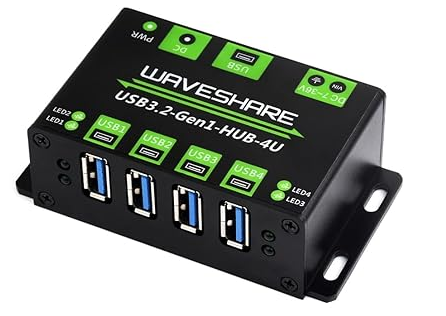
In my opinion, this hub is exactly the right thing, especially in the shack with 13.8V: Manufacturer Waveshare Part Number USB3.2-Gen1-HUB-4U
Now let's move on to the microphones. By using USB audio interfaces, the door to studio equipment is wide open. Here we need to differentiate:
Condenser microphones are usually operated with 48V phantom power, hence the recommendation above to look out for 48V phantom power. Condenser microphones tend to be very sensitive to ambient noise, but in terms of levels, they are ideal for USB audio interfaces.
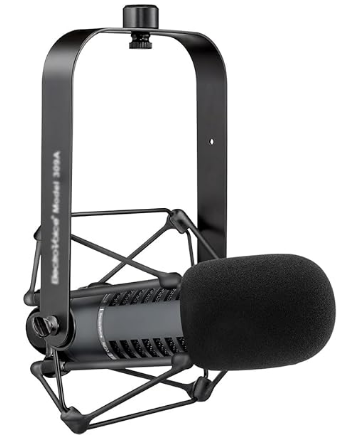
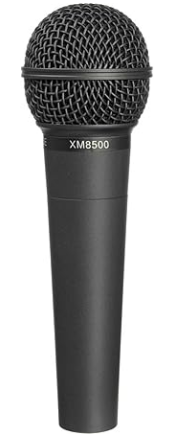
Dynamic microphones and ribbon microphones, on the other hand, are very, very quiet in terms of levels. It may be that the USB audio interface just manages to deliver a usable signal, but the noise floor of the signal will then also be high. Here, the use of a Triton Fethead or Klark Teknik CM2 inline preamp between the microphone and the USB audio interface is recommended, in which case phantom power must be turned on to supply the inline preamp with voltage. This then provides about +26dB of gain. Personally, I use the Klark Teknik CM2 because it has two channels for half the price of a Triton and serves me well.
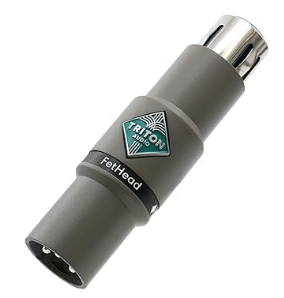
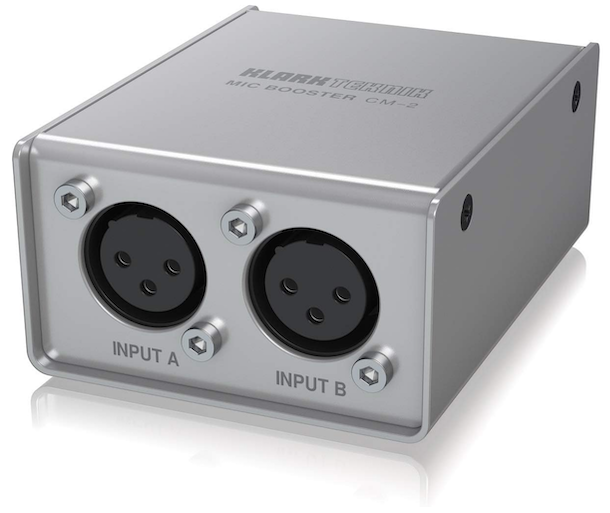
A general note regarding studio equipment and professional microphones. Even though one might suspect it, this is not at all about using the most expensive microphone possible, such as an Electrovoice RE20 (€670). My €20 Behringer Ultravoice XM8500 does the job just as well. No, it's about creating the most stable and flexible platform possible between analog audio and digital audio, and that's where studio equipment is ahead of the game, provided a good USB audio interface is used.
Be warned about Chinese adapters that promise e.g. XLR (Studio) to USB, but ultimately realize it with €0.05 chips where simply not all inputs and outputs are wired. These things don't know phantom power anyway, so they are quite unsuitable.
Another general remark on expensive microphones. For FM and ESSB, their use might be justified, but for "normal" radio operation, a microphone for under €100 will do just fine. Let's keep in mind: We have a microphone that delivers from 20Hz to 20kHz. Then we bend it until it fits into 3.5kHz (or less bandwidth) and modify the sound so that the TRX is satisfied and the ALC is maxed out without clipping. What comes out at the end has nothing to do with "beautiful" anymore; here, it's about the other side understanding what I'm saying. Nothing more - nothing less!
All pictures are (c) of the respective manufacturers and/or distributors